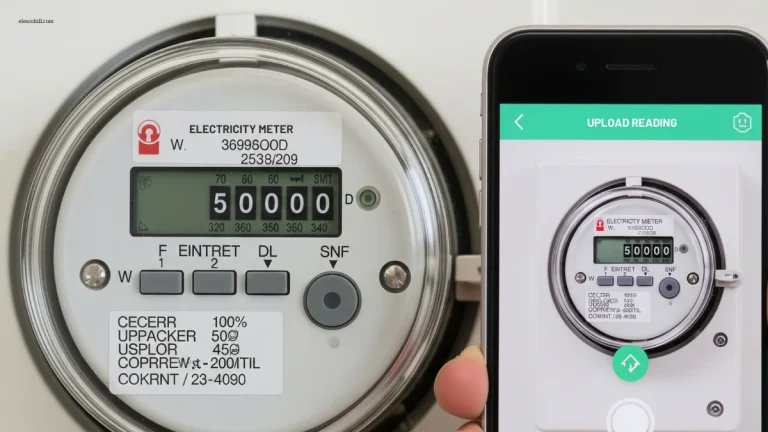
How to Check FESCO Bill Online – Easy Guide for Pakistani Users
Many people in Pakistan face one problem in common every month: electricity bill does not arrive on time or sometimes it gets lost.
As an electrician working in Pakistan for many years, I meet people daily who ask me:
“How can I check my FESCO bill online?”
“Bill ghar nahi aya, ab kya karein?”
The good news is now it is very easy to check your bill online. You can do it from your mobile phone or computer, without going to any office.
In this guide, I have explained everything step by step in a very simple way.
What Is FESCO?
FESCO means Faisalabad Electric Supply Company.
FESCO gives electricity to many cities and areas, such as:
- Faisalabad
- Jhang
- Toba Tek Singh
- Chiniot
- Sargodha
- Nearby areas
If your electricity bill comes from FESCO, this guide is for you.
Why You Should Check Your Bill Online
From my real work experience in Pakistan, people who check bills online get many benefits.
✔ They do not miss the due date
✔ They avoid late payment fine
✔ They can see high bill early
✔ They do not depend on postman
Online bill checking saves time, money and stress.
What You Need to Check Your Bill Online
You need only one thing.
Reference Number
- It is a 14-digit number
- Printed on your old electricity bill
- This number never changes
Important Tip
If you do not have the new bill, any old bill will work.
How to Find Reference Number on Your Bill
Many people ask this question.
The reference number is:
- Written on the top part of the bill
- Above Your name and address
- Made of 14 digits ends with U or R
If one digit is wrong, your bill will not show.
How to Check FESCO Bill Online – Step by Step
Follow these simple steps.
Step 1: Open Internet Browser
You can use:
- Mobile phone
- Laptop
- Computer
Open any browser like Chrome.
Step 2: Open Trusted Website
Open a trusted website that shows FESCO electricity bills online. My recommendation is https://efescobill.pk/ this is a trusted website to check FESCO bill, you just need your reference number to check your bill
You do not need:
- Login
- Account
- Password
Step 3: Enter Reference Number
- Carefully type your 14-digit reference number
- Do not add space
- Check digits again
Most people make mistakes here.
Step 4: Click on “Check Bill”
After clicking, wait a few seconds.
Your bill will appear on the screen showing, if not appear click the button “open my bill”
- Total bill amount
- Due date
- Units used
- Late payment charges (if any)
Step 5: Download or Print Bill
You can:
- Download bill as PDF
- Print it
- Use it for payment
This bill works everywhere.
How to Pay Bill After Checking Online
After checking the bill, you can pay it using:
- Bank
- Easypaisa
- JazzCash
- ATM
- Post office
You do not need the original paper bill.
Common Problems and Easy Solutions
Bill Not Showing Online
This happens when:
- Bill is not made yet
- Area billing is late
Solution:
Wait 1 or 2 days and check again.
Bill Amount Is Very High
Before panic, check:
- Units used this month
- Units used last month
- Use of AC, iron, motor, heater
Electrician Advice
High bill often comes because of:
- Old wiring
- Faulty appliance
- Power leakage
Get wiring checked if the bill increases suddenly.
Reference Number Is Lost
If you lost all bills:
- Ask house owner
- Check old bill photo
- Visit FESCO office with CNIC
They will help you.
Why People Trust Online Bill Checking Tools
From my experience, online bill checking is:
- Safe
- Free
- Fast
- Accurate
Thousands of people in Pakistan use it every month.
Important Advice from an Electrician
I have worked in:
- Houses
- Shops
- Small factories
One thing is clear:
Most people do not check their bills until a problem comes.
If you check your bill online every month:
- You find mistakes early
- You avoid extra charges
- You protect your appliances
This small habit helps a lot.
Summary
This content answers:
- How to check FESCO bill online
- Where to find reference number
- What to do if bill is missing
- How to download duplicate bill
It is written in:
- Easy English
- Short sentences
- Clear steps
- Real experience
FAQs
Final Words
Checking your FESCO bill online is simple and helpful.
You only need:
- Reference number
- Internet
- Few minutes
As someone working in Pakistan for many years, I strongly suggest:
👉 Lahore Check your electricity bill online every month
It keeps you safe from problems.