
How To Pay Lesco Bill By QR Code – Easy Guide
Few days ago Lesco has added this feature to make it easy fro customers, now you can pay your bill easily by scaning qr code given on bottom right corner of your bill. This is the fast, easy and secure method to pay bill because payment directly transferd to lesco account no third party is involved. let me tell you in simple steps.
- Login to your wallet ( jazzcash or easypesa )
- click on scaner given on bottom
- Scan QR code given on your bill, you can check your bill online it also has QR
- Confirm and enter you wallet password
- Congratulations! your bill has been paid in 4 steps, you can save the reveipet
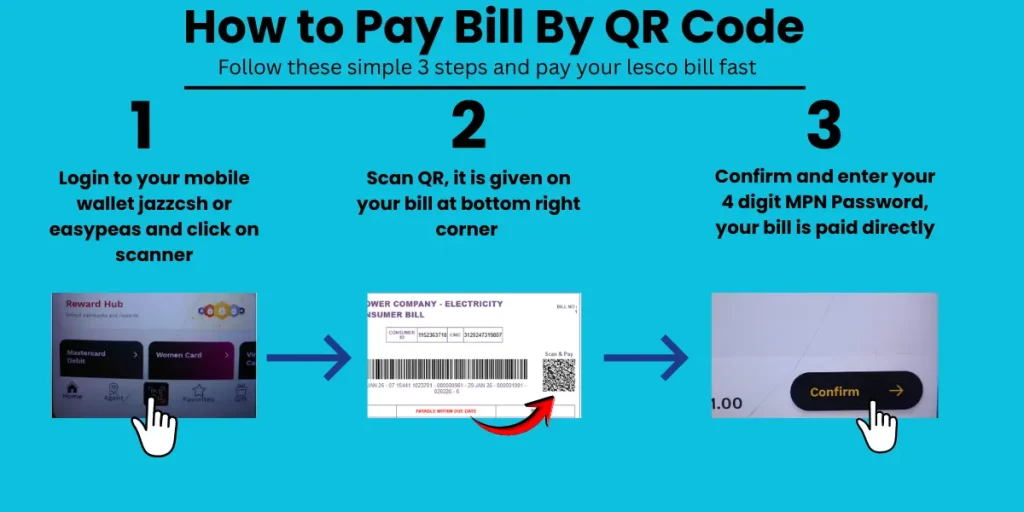
This infographic will clear all your doubts about bill payment by qr code
